Configuration
The helper and u2auth-admin read /etc/u2auth/u2auth.conf. It holds this machine’s API key, so make it root:root, mode 0600.
Create the app and its key
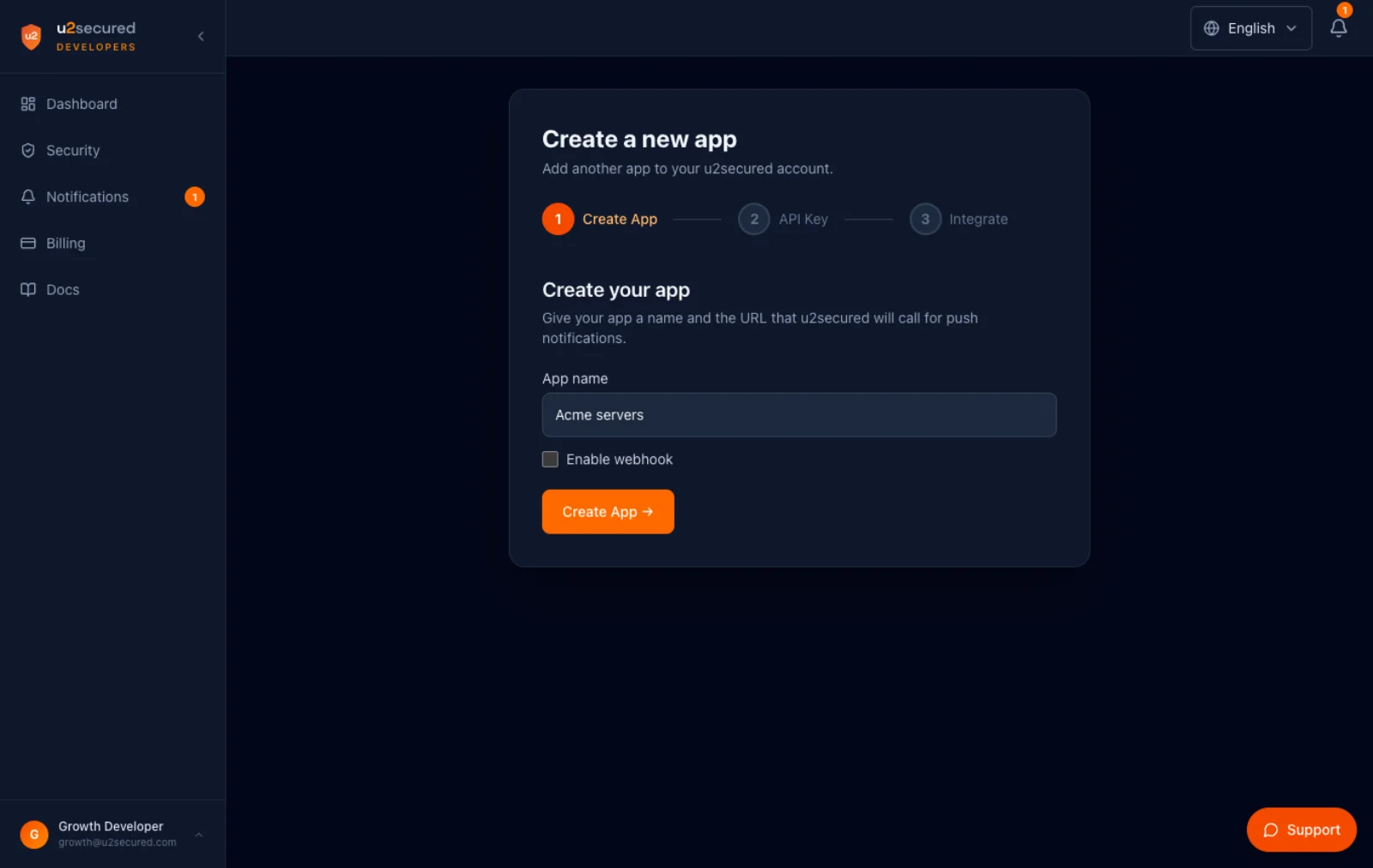
- 1In this portal: Dashboard → New App. Name it after the fleet (for example “Acme servers”): users see that name on every approval and in their app’s Linked tab.
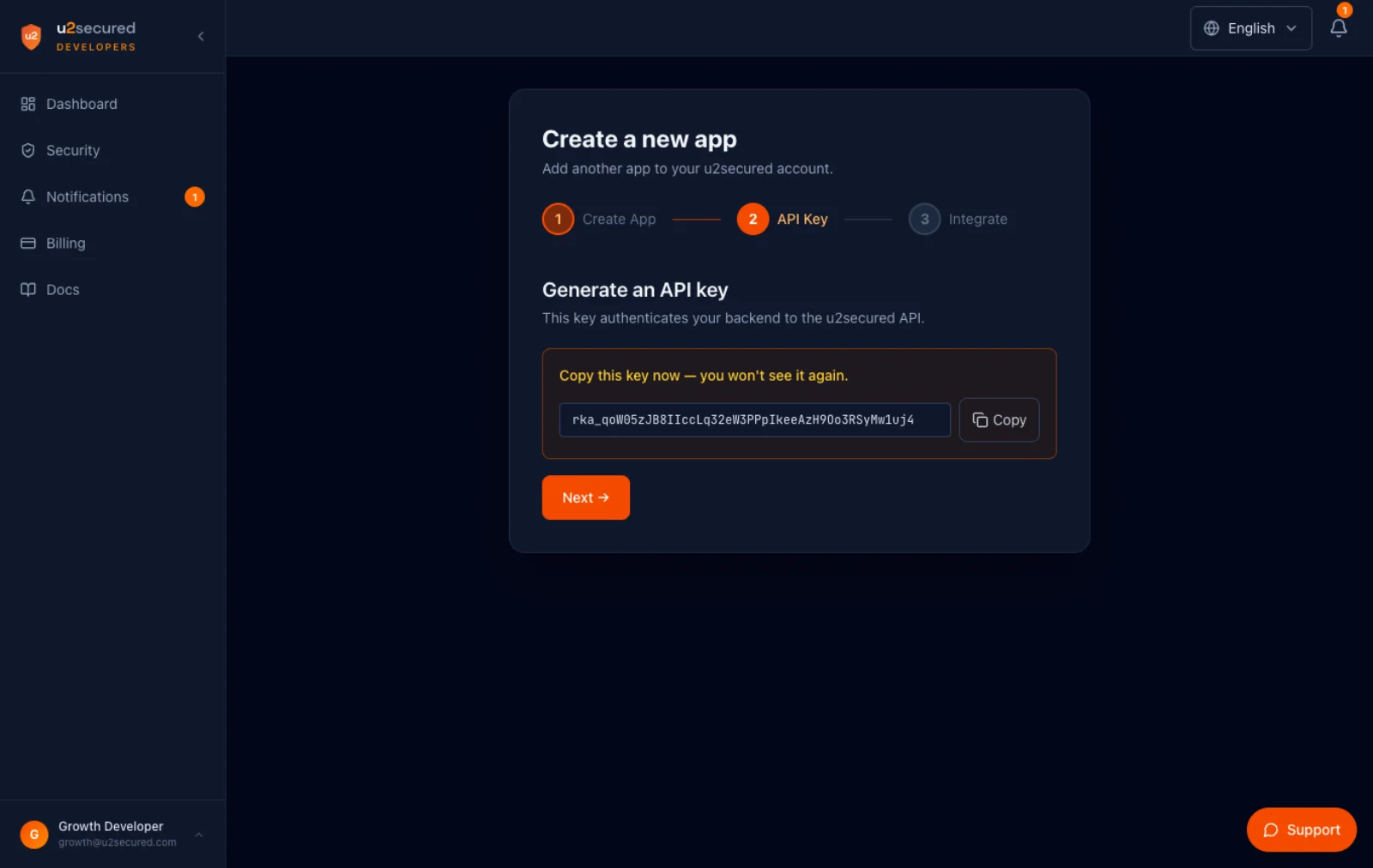
- 2Copy the API key (rka_…). It is shown once. This one key goes in every machine’s config until the machine is registered, which gives it its own.
- 3Run production as its own app if root on a test machine should not hold a key for production users.
Create the config
sudo install -m 0600 /usr/share/doc/u2auth/u2auth.conf.example /etc/u2auth/u2auth.conf
sudoedit /etc/u2auth/u2auth.conf   # api_key, issuer = your fleet's name, bypass_users = break-glass
Built from source, the example is conf/u2auth.conf.example. For a different location, pass conf=/path to the module in the PAM line, and --conf to u2auth-admin. The ForceCommand binary reads its own copy at /etc/u2auth/login_u2auth.conf, owned by the u2auth user, mode 0400.
Example
; /etc/u2auth/u2auth.conf  (root:root 0600 — holds this machine's API key)
api_host          = https://auth.u2secured.com
api_key           = rka_REPLACE_WITH_THE_APPS_API_KEY
mode              = push
failmode          = secure
bypass_unenrolled = false
prompt_timeout    = 60
poll_interval     = 2
bypass_users      = breakglass
issuer            = Acme servers
state_dir         = /var/lib/u2auth

; optional: map a system login name to the app's user identifier
[identity_map]
; deploy = deploy@acme.com
Settings reference
| Setting | Default | Meaning |
|---|---|---|
api_host | — | Base URL of the Authenticator API. Required. |
api_key | — | This machine’s API key (rka_…). Required. Treat it like a root credential. |
mode | push | push: U2 Secured push with number matching, codes as the offline fallback. local: codes only, verified on the machine, with no U2 account; u2auth-admin personal-setup writes it, and api_host and api_key are then not needed. |
auth | api_key | Optional. api_key, the only value: the machine authenticates with the app’s API key. Any other value is refused. |
failmode | secure | Applies when U2 Secured is unreachable and the user has no offline code: secure denies, safe allows. Leave it on secure. |
bypass_unenrolled | false | Let users with no paired phone through without a prompt. Use it only during a rollout. |
prompt_timeout | 60 | Seconds to wait for the phone tap. |
poll_interval | 2 | Seconds between status checks while waiting. |
bypass_users | (empty) | Comma-separated login names that skip U2 Secured entirely. These are your break-glass accounts. |
issuer | U2 SSH | Name of the TOTP entry in the user’s app. Use your fleet’s name. |
state_dir | /var/lib/u2auth | Where offline factors live: TOTP secrets and hashed backup codes. |
machine_id | (machine.conf) | Not set by hand: u2auth-admin register writes it to machine.conf, beside this file, together with the machine’s own api_key (which then overrides the one here). The id of this machine in the portal; it is what ties the sign-in log to this host. |
machine_name | (machine.conf) | Also written to machine.conf by u2auth-admin register: the name this machine was registered under. The phone shows it at the end of every push (“… on <name>”), and the sign-in log shows it. |
[identity_map] | (empty) | Optional section mapping a system login name to a different user identifier in the app. |
With mode = push, api_host and api_key are required and have no default. Unknown settings are rejected, so a typo fails loudly instead of being ignored.
Set a break-glass account
Name a recovery account in bypass_users, keep it out of the gated group, and keep its key offline. Together with the provider’s serial console, it is how you get in if everything else fails. Config errors fail closed: the helper denies and logs, and never lets a login through.