Verify & Event Log
What a protected sign-in looks like, what happens when the phone or the network does not cooperate, and where Windows records each decision.
A sign-in
After the password, the tile shows a number and the phone shows three. Tapping the matching one signs the person in.
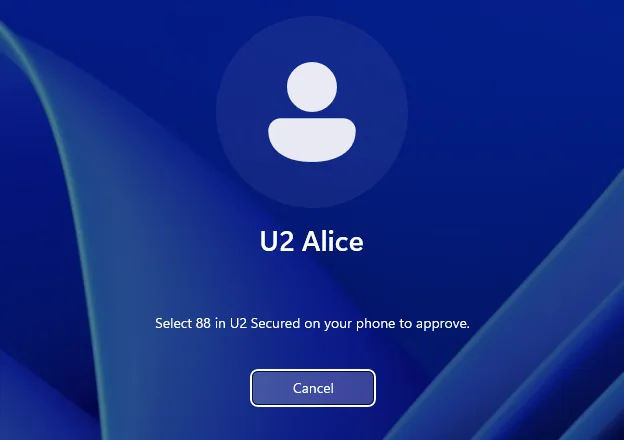
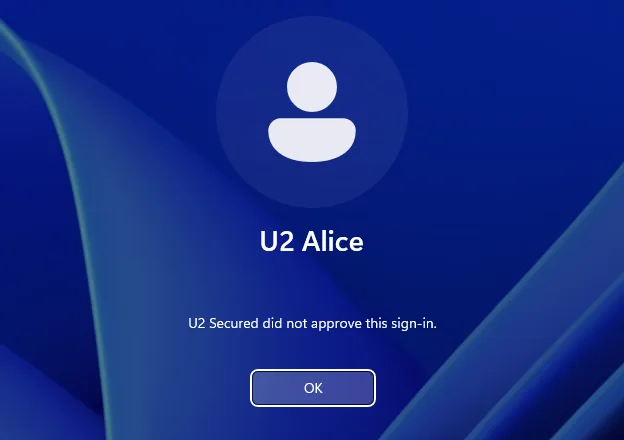
Deny on the phone, or a wrong number, ends the attempt. The phone is not asked again; the person signs in again to retry.
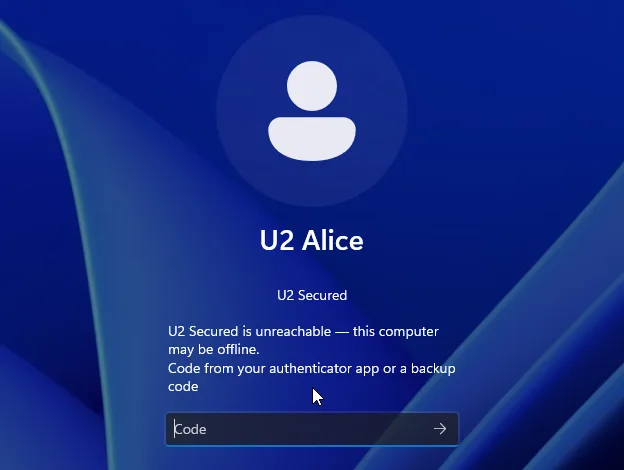
Offline: a code instead
When the PC cannot reach U2 Secured, the tile asks at once for a code: the 6 digits from the authenticator app entry made at enrolment, or a backup code. A wrong code says “Code not accepted.” and asks again; the third wrong code ends the attempt. A code cannot be used twice.
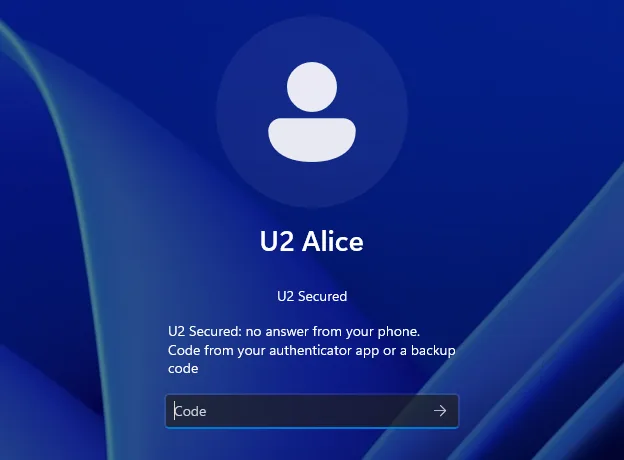
If the phone does not answer within about a minute, the tile says “U2 Secured: no answer from your phone.” and asks for a code the same way. Windows closes an idle sign-in screen after about a minute too; sign in again if it does.
Unlock and Remote Desktop
Unlocking uses the same tile, and the phone says “Windows unlock as alice on reception-pc”.
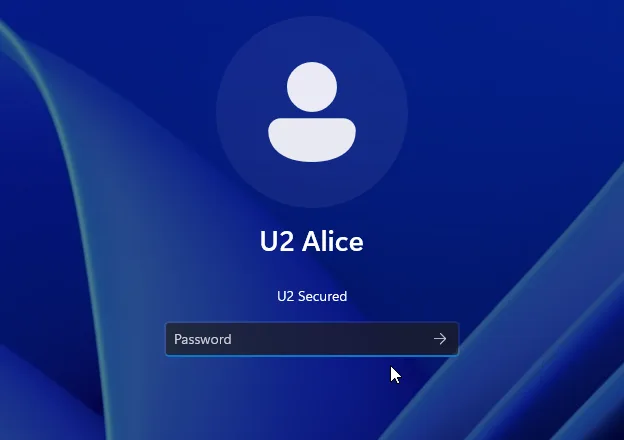
Over Remote Desktop, once Windows has the password the remote screen goes straight to the number, and the phone says “Remote Desktop sign-in as alice on reception-pc”. Reconnecting to a disconnected session shows the tile with a Sign in button: click it and the push follows. A denied connection stays at the sign-in screen until you close it; no session is opened.
Passwords
- A protected account needs a password. With a blank one the tile says “U2 Secured needs a password for this account.” and nothing reaches the phone.
- A password that must be changed is changed on the U2 tile: Current password, New password, Confirm. Three wrong current passwords, or two minutes, end it. Then “Password changed. Sign in with your new password.”, and the person signs in again, with a new approval.
The Event Log
Every decision goes to the Application log, source “U2 Secured”. In Event Viewer: Windows Logs → Application → Filter Current Log → Event sources: U2 Secured. Or from PowerShell:
Get-WinEvent -FilterHashtable @{ LogName = 'Application'; ProviderName = 'U2 Secured' } -MaxEvents 20 |
Format-List TimeCreated, Id, Message| Event ID | Meaning |
|---|---|
1000 | Allowed: an approved push, or an accepted code. |
1001 | Refused: denied, timed out, a wrong code, a blank password, and the other refusals below. |
1002 | Not gated: the account is not in “U2 Secured Users” and signed in on its password alone. |
1100 | Refused because the configuration or a sealed secret could not be read (config_error, seal_error). The err= part says why. |
1101 | The group could not be read. The person was let in without U2 rather than lock everyone out. Run u2auth-admin check. |
1103 | Registering the PC failed, with the reason: registration failed: <code>: <message>. The token is never in it. A silent install that ends in error 1603 writes this. |
1200 | Written when U2 Secured is uninstalled from a registered PC: revoke it in the portal. |
Each sign-in event reads like user=alice rhost= service=windows-logon result=allow reason=approved factor=push. service is windows-logon, windows-unlock or windows-rdp; factor is push, totp or backup. For Remote Desktop, rhost is the address the client reports about itself, which the client controls.
| reason= | Meaning |
|---|---|
approved | The push was approved. |
code_accepted | An authenticator or backup code was accepted (see factor=). |
denied | Denied on the phone, or the wrong number was tapped. |
timeout | Nobody answered the push, and no code was entered. |
bad_code | Three wrong codes. |
failclosed | U2 Secured could not be reached and the person had no code, with failmode = secure. |
not_gated | Not in “U2 Secured Users”: Windows signed them in on their password alone. |
blank_password | A group member with a blank password. Nothing was sent to the phone. |
config_error | u2auth.conf could not be read or is invalid. |
seal_error | A sealed secret could not be opened on this PC. |
The other reasons are the same as on Ubuntu; see the decision log on its Verify & day-2 page.