Enrol users and turn it on
Enrol each user once for the whole fleet, then enable the module for a group so you can roll it out gradually.
Enrol a user on one machine
sudo u2auth-admin enroll bob              # --no-pair: codes only, no phone pairing
sudo u2auth-admin status
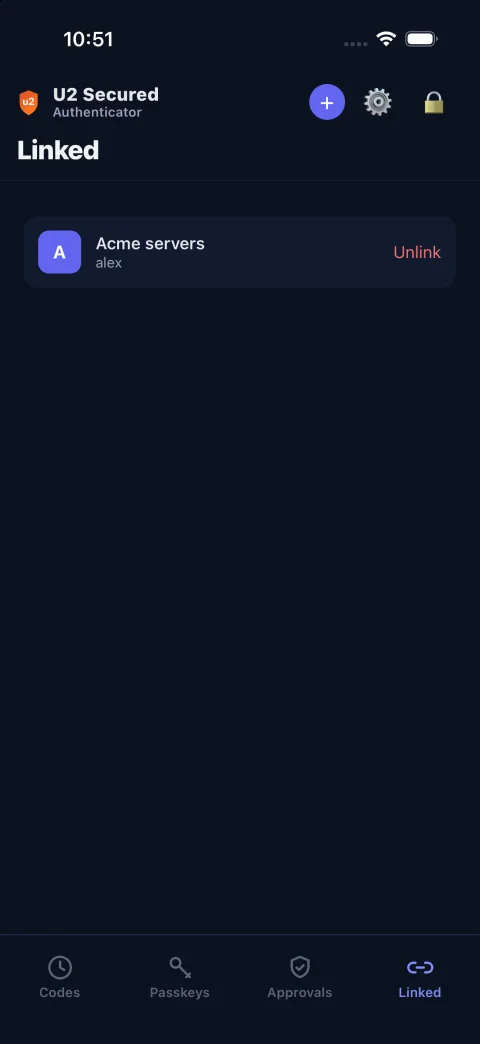
enroll prints a pairing code, which the user enters in U2 Secured Authenticator: Linked tab → +, valid 10 minutes, skipped if already paired. It also prints a TOTP key and otpauth:// link for the app’s Add account screen, shown as a QR code if qrencode is installed, and ten backup codes for this machine. Everything is shown once, so the administrator hands it to the user straight away. --no-pair skips the pairing (codes only).
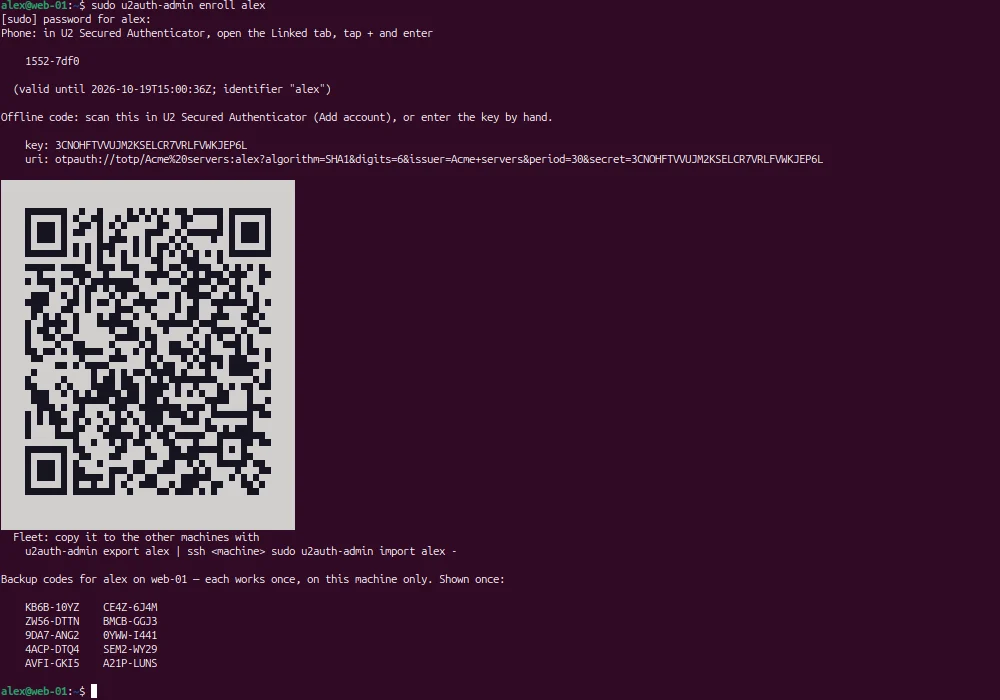
Running enroll again replaces backup codes
enroll keeps a user’s existing TOTP entry, but issues new backup codes for this machine, and the old ones stop working at once. Before re-running it for a user who is already set up, warn them, or use u2auth-admin backup-codes only when they actually need a new set.
Copy the TOTP to the rest of the fleet
sudo u2auth-admin export bob > bob.totp.json     # treat as a secret
# on every other machine (Ansible, Salt, or by hand):
sudo u2auth-admin import bob bob.totp.json
sudo u2auth-admin backup-codes bob               # optional, per machine
The TOTP secret travels, so each user has one entry in their app for every machine. Backup codes don’t: a code used on one machine isn’t known to be used on the others, so a shared code would stay usable everywhere. Issue backup codes per machine where a user needs them. Treat the exported file as a secret.
Configure sshd
# /etc/ssh/sshd_config.d/u2auth.conf
UsePAM yes
KbdInteractiveAuthentication yes
Match Group u2mfa
    AuthenticationMethods publickey,keyboard-interactive
Add the module to PAM
# /etc/pam.d/sshd — in place of "@include common-auth"
auth [success=ok default=1] pam_succeed_if.so quiet user ingroup u2mfa
auth [success=done default=die] /usr/lib/u2auth/pam_u2auth.so
@include common-auth
In /etc/pam.d/sshd, replace the “@include common-auth” line (Debian/Ubuntu). Members of u2mfa authenticate with their key plus U2 Secured, with no password prompt. Everyone else falls through to the stock stack unchanged. On RHEL, put the two lines before “auth substack password-auth”.
Create the group and reload
sudo groupadd u2mfa
sudo usermod -aG u2mfa bob
sudo sshd -t && sudo systemctl reload ssh
Keep a root session open, and break-glass out of u2mfa
Before reloading sshd, keep a second, already-authenticated root session open on the machine, and test a new login from a third. The break-glass account named in bypass_users must never be added to u2mfa: it is the way in if U2 Secured, PAM or sshd is broken.
Add users only once they are paired
A user in u2mfa without a paired phone is refused. Check u2auth-admin status first. It shows each user’s pairing, TOTP and remaining backup codes.
Alternative: ForceCommand
# /etc/ssh/sshd_config.d/u2auth.conf
Match Group u2mfa
    ForceCommand /usr/local/bin/login_u2auth
    AllowTcpForwarding no
    AllowStreamLocalForwarding no
    PermitTunnel no
    X11Forwarding no
The forwarding lines are part of the control, not extra hardening. ssh -N -L opens a session that never runs a command, so ForceCommand never runs either.